LEVEL8 : Transform your journey by suitcases and bags.
Showing posts with label MacBook laptop backpack. Show all posts

Monday, 18 May 2020

Staying connected can help you enjoy your travels that much more. If you’re traveling with a MacBook laptop, get a Wi-Fi hotspot before you leave so you’re never left disconnected. This is especially important if you’re traveling internationally without an international cell phone plan.

A hotspot offers you a way to connect to cell towers for an internet connection no matter where you are.

Work from anywhere

Whether you’re out enjoying the countryside or in a busy café where the free Wi-Fi is overloaded or not secure, you’ll have everything you need to power up your MacBook laptop and start working.

Business trips can be stressful because productivity goes down when you don’t have access to your normal resources. The extra monitor, your reliable high-speed internet connection, and quiet office all make it possible for you to get your work done. Recreating those conditions during travel can be challenging, but you should at least be able to depend on your internet connection.

work from anywhere

Video chat with friends and family

Video chatting with your friends and family while traveling allows you to showcase what you’re seeing and share that experience with loved ones. However, doing so on a regular cell phone connection could mean frozen screens, large delays and confusion for you and your loved ones.

A hotspot allows you to use your MacBook laptop to video chat. Your laptop has a larger processor and better video capabilities than your phone does, which allows it to offer you and your loved ones a better video experience.

Look up travel information

Look up travel information

Many websites are mobile-friendly and make it simple to view and gather information from the site. However, that doesn't mean you want to use your phone constantly for travel information. Looking at the small screen can get exhausting, especially if you're doing in-depth research.
Using your MacBook laptop can make for a much better overall experience and help you complete your research faster. The larger screen makes it easier to skim the information for what you really need and get back to enjoying your travels. 

Upload albums of photos to social media

Smartphones are undoubtedly great resources. But when you want to share your travel experiences in an album on social media, your MacBook laptop is much better suited for the job. Power on your hotspot so you can continue to send messages on your phone and stay connected while your photos upload to social media.
High-quality photos tend to be large files, making it difficult for smartphones to process uploading many files at once. Order room service and relax while your hotspot and laptop do the work for you in sharing your precious memories with others via social media.

Upload albums of photos to social media

Protect your MacBook laptop with a good backpack

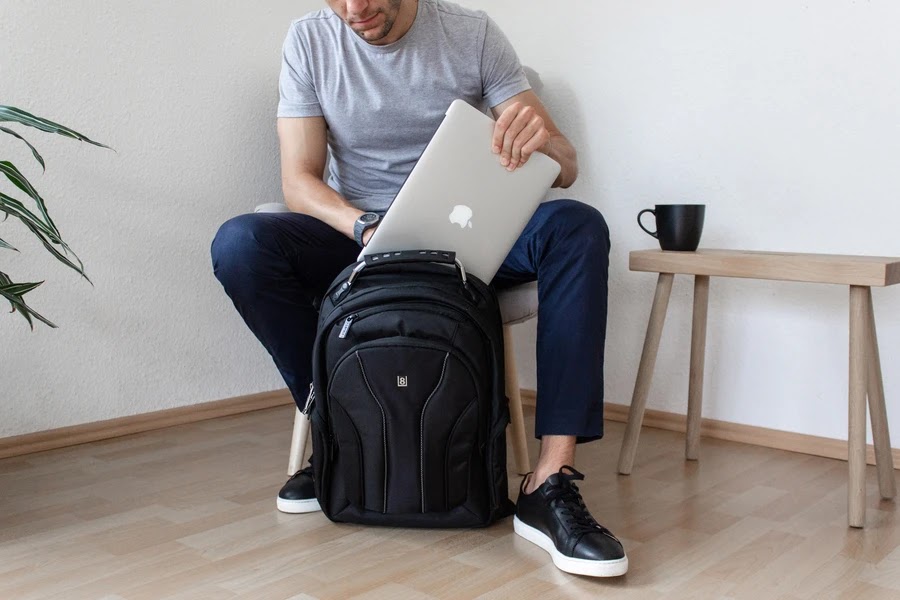
A MacBook laptop is a valuable investment. Protect it with a quality laptop backpack specifically designed for your hardware. LEVEL8 laptop backpacks were designed in conjunction with Apple to be sold in its retail stores. You'll find all the pockets you need for your travels along with the best protection for your technology.


Protect your MacBook laptop with a good backpack


Staying connected can help you enjoy your travels that much more. If you’re traveling with a MacBook laptop, get a Wi-Fi hotspot before you leave so you’re never left disconnected. This is especially important if you’re traveling internationally without an international cell phone plan.

A hotspot offers you a way to connect to cell towers for an internet connection no matter where you are.

Work from anywhere

Whether you’re out enjoying the countryside or in a busy café where the free Wi-Fi is overloaded or not secure, you’ll have everything you need to power up your MacBook laptop and start working.

Business trips can be stressful because productivity goes down when you don’t have access to your normal resources. The extra monitor, your reliable high-speed internet connection, and quiet office all make it possible for you to get your work done. Recreating those conditions during travel can be challenging, but you should at least be able to depend on your internet connection.

work from anywhere

Video chat with friends and family

Video chatting with your friends and family while traveling allows you to showcase what you’re seeing and share that experience with loved ones. However, doing so on a regular cell phone connection could mean frozen screens, large delays and confusion for you and your loved ones.

A hotspot allows you to use your MacBook laptop to video chat. Your laptop has a larger processor and better video capabilities than your phone does, which allows it to offer you and your loved ones a better video experience.

Look up travel information

Look up travel information

Many websites are mobile-friendly and make it simple to view and gather information from the site. However, that doesn't mean you want to use your phone constantly for travel information. Looking at the small screen can get exhausting, especially if you're doing in-depth research.
Using your MacBook laptop can make for a much better overall experience and help you complete your research faster. The larger screen makes it easier to skim the information for what you really need and get back to enjoying your travels. 

Upload albums of photos to social media

Smartphones are undoubtedly great resources. But when you want to share your travel experiences in an album on social media, your MacBook laptop is much better suited for the job. Power on your hotspot so you can continue to send messages on your phone and stay connected while your photos upload to social media.
High-quality photos tend to be large files, making it difficult for smartphones to process uploading many files at once. Order room service and relax while your hotspot and laptop do the work for you in sharing your precious memories with others via social media.

Upload albums of photos to social media

Protect your MacBook laptop with a good backpack

A MacBook laptop is a valuable investment. Protect it with a quality laptop backpack specifically designed for your hardware. LEVEL8 laptop backpacks were designed in conjunction with Apple to be sold in its retail stores. You'll find all the pockets you need for your travels along with the best protection for your technology.


Protect your MacBook laptop with a good backpack


Monday, 13 April 2020

Are you a digital nomad? Irrespective of whether you are a techie or business traveler or an international student, then the chances of moving with your laptop is quite high.  If you are frequently taking your computer with you, then there is every possible chance that they have been mishandled at some point in time. When you make a flight, then you have to take out the device for security checking at the airport terminal. If the waiting period is long, then you may take the device out for killing time. The protection of the device is necessary for the prevention of permanent damage. 

Some tips
If the laptop is not handled correctly, then it may cause extensive damage to the machine. Protect your valuable device with the help of a spacious MacBook laptop backpack purchased through the website of www.level8cases.com. Making the right choice of the bag is not at all an easy job. You should consider the following tips before making a buying decision. 
MacBook laptop backpack

1.Design aspect

Choose bags that are simple but sturdy at the same time. The designs should allow the scope of comfortable airflow. If you are searching for a companion who will lend you support for a long time, then look for accessories that have an excellent ergonomic design. Withstand harsh weather with the help of a MacBook laptop backpack.

2.From the perspective of comfort

Superior quality laptop bags work out well for students or for professionals who commute within the city. If you happen to travel frequently by air, road, or rail, then carrying additional baggage may prove to be a source of irritation. Get rid of the idea of carrying numerous bags. Instead, acquire a backpack that is made of durable material to combat heavy usage. Check out the shoulder straps because you would want the bag to be comfortable and suitable for use in the long run.

3.Easy maintenance

If you are a frequent traveler, then you are likely to encounter the rainy season at some point in time. Bags made with water-resistant materials will prove to be advantageous under such circumstances. Foam padding assures of shock protection of any kind. Various organizer pockets can hold stationery such as pens, pencils, keyrings, passports, and wallets.

4.Conforming to airline regulations

A backpack is of no use if you have to check it at the airport. The effective ones are designed by keeping the globetrotter in mind. Though the rules of each airline will vary, it is a compelling idea to buy the backpack from a reliable company. They are the ones who will ensure that the luggage is designed in conformity to the airport regulations. 

MacBook laptop backpack


5.Storage aspect

Ensure that the bag has an expandable zip so that its storage capacity is increased to a significant extent. This feature will assist you in bringing souvenirs for your near and dear ones.

Think logically

Make the right selection of bags by choosing the right supplier for your needs. For this purpose, an intensive study on the net is essential.

Are you a digital nomad? Irrespective of whether you are a techie or business traveler or an international student, then the chances of moving with your laptop is quite high.  If you are frequently taking your computer with you, then there is every possible chance that they have been mishandled at some point in time. When you make a flight, then you have to take out the device for security checking at the airport terminal. If the waiting period is long, then you may take the device out for killing time. The protection of the device is necessary for the prevention of permanent damage. 

Some tips
If the laptop is not handled correctly, then it may cause extensive damage to the machine. Protect your valuable device with the help of a spacious MacBook laptop backpack purchased through the website of www.level8cases.com. Making the right choice of the bag is not at all an easy job. You should consider the following tips before making a buying decision. 
MacBook laptop backpack

1.Design aspect

Choose bags that are simple but sturdy at the same time. The designs should allow the scope of comfortable airflow. If you are searching for a companion who will lend you support for a long time, then look for accessories that have an excellent ergonomic design. Withstand harsh weather with the help of a MacBook laptop backpack.

2.From the perspective of comfort

Superior quality laptop bags work out well for students or for professionals who commute within the city. If you happen to travel frequently by air, road, or rail, then carrying additional baggage may prove to be a source of irritation. Get rid of the idea of carrying numerous bags. Instead, acquire a backpack that is made of durable material to combat heavy usage. Check out the shoulder straps because you would want the bag to be comfortable and suitable for use in the long run.

3.Easy maintenance

If you are a frequent traveler, then you are likely to encounter the rainy season at some point in time. Bags made with water-resistant materials will prove to be advantageous under such circumstances. Foam padding assures of shock protection of any kind. Various organizer pockets can hold stationery such as pens, pencils, keyrings, passports, and wallets.

4.Conforming to airline regulations

A backpack is of no use if you have to check it at the airport. The effective ones are designed by keeping the globetrotter in mind. Though the rules of each airline will vary, it is a compelling idea to buy the backpack from a reliable company. They are the ones who will ensure that the luggage is designed in conformity to the airport regulations. 

MacBook laptop backpack


5.Storage aspect

Ensure that the bag has an expandable zip so that its storage capacity is increased to a significant extent. This feature will assist you in bringing souvenirs for your near and dear ones.

Think logically

Make the right selection of bags by choosing the right supplier for your needs. For this purpose, an intensive study on the net is essential.